
What Is Security System Installation?
- Ted Mathia
- Jun 8
- 6 min read

A security system only helps if it is set up to actually protect the places that matter. A camera pointed at the wrong angle, a sensor on the wrong door, or an alarm panel installed in an awkward spot can leave gaps you do not notice until there is a problem. That is why understanding what is security system installation matters before you choose a system for your home or business.
What Is Security System Installation?
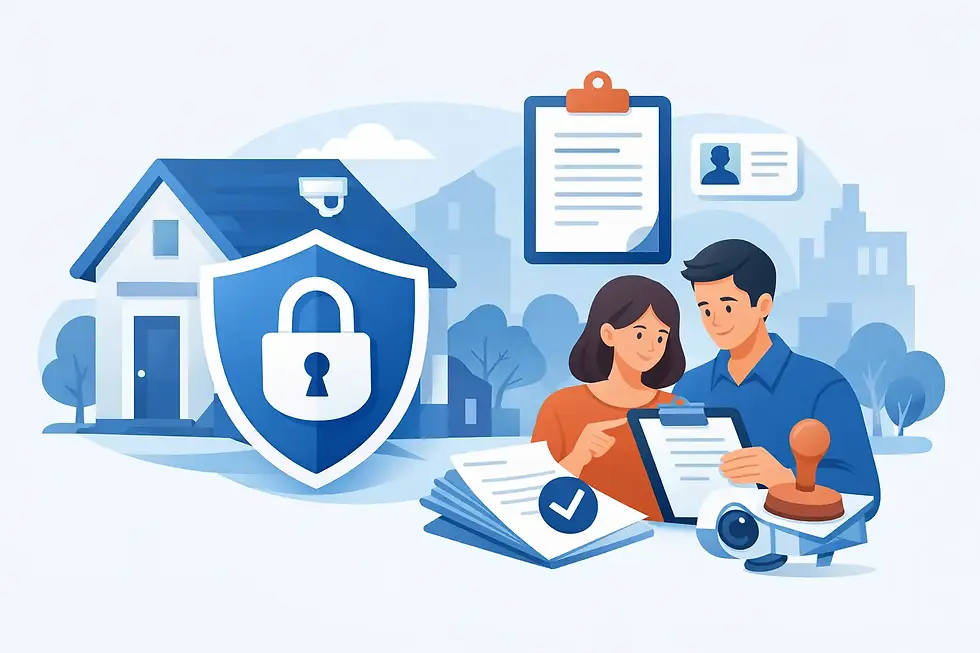
Security system installation is the process of planning, placing, connecting, and testing the devices that make up a security system. That usually includes items like door and window sensors, motion detectors, security cameras, control panels, alarms, smart locks, video doorbells, and mobile app access.
Installation is more than mounting hardware on a wall. It also involves deciding where devices should go, making sure they work together, connecting them to power or Wi-Fi when needed, and confirming the system sends alerts and responds properly. In simple terms, installation is what turns a box of equipment into a working layer of protection.
For homeowners, that can mean securing entry points, watching deliveries, and getting alerts when something is not right. For small business owners, it often means covering customer entrances, back doors, inventory areas, offices, and after-hours access.
What Security System Installation Usually Includes
The exact setup depends on the property and the type of system you choose, but most installations follow the same basic path. First, the property is evaluated. This step identifies vulnerable access points, high-traffic areas, blind spots, and the places where cameras or sensors will do the most good.
Next comes equipment placement. Door and window sensors are installed where entry is most likely. Motion detectors are positioned to watch key interior areas without creating unnecessary false alarms. Cameras are placed to capture important views such as front doors, driveways, storefront entrances, parking areas, and common rooms. Control panels and keypads are installed where they are easy to reach but not exposed.
Then the devices are connected and configured. Some systems are hardwired, while others are wireless. Either way, the installer or homeowner pairs devices, sets communication paths, connects mobile apps, and programs user settings. If the system includes smart home features, installation may also connect lights, locks, thermostats, or doorbells.
The last step is testing. This part is often overlooked in casual explanations, but it is one of the most important parts of the process. Sensors need to trigger correctly. Cameras need clear angles. Alerts need to reach the right phones. If professional monitoring is included, signal communication has to be verified.
Why Proper Installation Matters
A good security system is only as reliable as its setup. You can buy trusted equipment and still end up with weak coverage if the installation is rushed or poorly planned.
That is especially true with cameras. A camera may technically work, but if it is aimed into bright light, mounted too high, or placed where it misses faces and license plates, it is not doing the job you expect. The same goes for motion sensors that are set too close to heat sources or windows, which can lead to nuisance alerts.
Proper installation also affects daily convenience. A system should be easy to arm and disarm, simple to check from your phone, and designed around the way you actually use your space. If it feels confusing or frustrating, people are less likely to use it consistently.
For businesses, poor setup can create operational problems. A camera might miss the register area. A back door may not be covered. Staff may not know how to use access controls correctly. Installation should support both security and routine use.
Professional vs. DIY Security System Installation
When people ask what is security system installation, they are often really asking whether they should do it themselves or have someone handle it. The answer depends on the property, the equipment, and how comfortable you are with setup.
Professional Installation
Professional installation means a trained technician handles placement, setup, configuration, and testing. This option is often a better fit for larger homes, small businesses, multi-entry properties, or systems with several cameras and smart devices.
The main advantage is confidence. A professional can identify weak points, avoid common placement mistakes, and make sure everything is working before the job is finished. It also saves time and reduces the trial-and-error that can come with more advanced systems.
Professional installation can cost more upfront, but for many people, that trade-off is worth it. You are not just paying for labor. You are paying for a setup designed to work the first time and support your protection goals.
DIY installation lets the customer set up the system on their own, usually with guided instructions and app-based pairing. This option can work well for apartments, smaller homes, or customers who want a faster and lower-cost setup.
The benefit is flexibility. You can install on your own schedule and often avoid installation fees. Many newer wireless systems are designed to be more user-friendly than older generations of security equipment.
Still, DIY is not always the best fit. If your property has unusual layouts, detached buildings, multiple entry points, or weak Wi-Fi in important areas, self-installation can become more complicated. The equipment may be simple, but placement decisions still matter.
A trusted provider can help you weigh those options. Authorized Home Security, for example, supports both professional installation and self-install choices, which gives customers room to pick the path that fits their budget, property, and comfort level.
What Happens During a Professional Installation Visit?
For customers who choose expert setup, the process is usually straightforward. The installer reviews the property, confirms the equipment plan, and talks through where each device should go. If there are concerns about privacy, traffic flow, pets, business hours, or smart home compatibility, those details are addressed before installation begins.
After that, devices are mounted and connected. Wireless systems may still require careful signal testing and app configuration. Hardwired systems can take longer, especially in commercial spaces or larger buildings, but they may offer advantages in certain environments.
Once the equipment is in place, the installer tests the system and shows the customer how to use it. That includes arming and disarming, checking cameras, managing notifications, and understanding what to do if an alert comes through. A good installation experience should leave you feeling informed, not overwhelmed.
How Long Does Security System Installation Take?
There is no one-size-fits-all answer. A simple wireless home system with a few sensors and one or two cameras may take only a couple of hours. A larger home with smart locks, doorbell cameras, indoor and outdoor coverage, and mobile integration can take longer.
For small businesses, installation time depends on the size of the location, the number of cameras, whether access control is involved, and whether the system is wired or wireless. The more coverage you need, the more planning and testing matter.
Speed matters, but accuracy matters more. A fast installation that leaves blind spots is not really saving time.
How to Know What Type of Installation You Need
Start with the property itself. A one-bedroom apartment usually does not need the same setup as a two-story house with a garage, backyard gate, and package deliveries at the front door. A retail shop has very different needs than a private office or a restaurant.
Then think about what you want the system to do. If your main concern is break-in protection, entry sensors, alarms, and motion detection may be the priority. If you want visibility, cameras and video doorbells become more important. If convenience matters too, smart locks and app control can make everyday use easier.
Finally, be honest about how involved you want to be. Some customers enjoy setting things up themselves. Others want a guided recommendation and a finished system they know is ready to use. Neither choice is wrong. The right answer is the one that gives you reliable protection without adding stress.
The Real Goal of Security System Installation
The goal is not simply to attach devices to a property. It is to create dependable coverage that fits the way you live or work. That means the front entry is watched, the alerts are useful, the app makes sense, and the system feels like a help rather than a hassle.
If you are comparing options, focus less on flashy features and more on whether the installation approach supports real protection. The best system is the one that is set up correctly, used consistently, and matched to your space from day one.
A well-installed security system should give you something very practical - fewer blind spots, fewer doubts, and more confidence every time you lock up and walk away.


Comments